Here's a claim that sounds like an exaggeration but isn't: a laptop used on its own cannot be set up ergonomically. Not "is usually set up badly" — cannot be. It's a design constraint, not a user error, and once you see it you can't unsee it.
The unwinnable laptop problem
The screen and the keyboard are physically joined. That means:
- Put the screen at the right height (top of screen at eye level) and the keyboard is now floating somewhere around your chest — your arms have to reach up, and your shoulders go with them.
- Put the keyboard at the right height (elbows at 90 degrees) and the screen is now roughly 30 cm below where your eyes want it — so you look down all day.
There is no third position. Every laptop user is choosing which of the two compromises to live with, and almost everyone picks the second: keyboard comfortable, head tilted down. That's how "laptop neck" happens.
What looking down actually costs
Your head weighs roughly 5 kg. Held upright and balanced over your spine, the muscles supporting it barely work. Tilt it forward to look down and those muscles have to hold that weight against gravity at an angle — and the further forward it goes, the harder they work. Do that for eight hours a day, five days a week, and the result is the familiar ache across the shoulders and up the back of the neck.
This isn't dramatic or dangerous in the short term; it's just a small, constant load that you feel by the afternoon. The point is that it's completely avoidable.
Work normally for a minute, then freeze and notice where your head is. If your chin is closer to your chest than to level, your screen is too low — and no amount of "sitting up straight" will fix a screen that's in the wrong place.
The two-part fix
You separate what the manufacturer joined. Two items, and they only work as a pair:
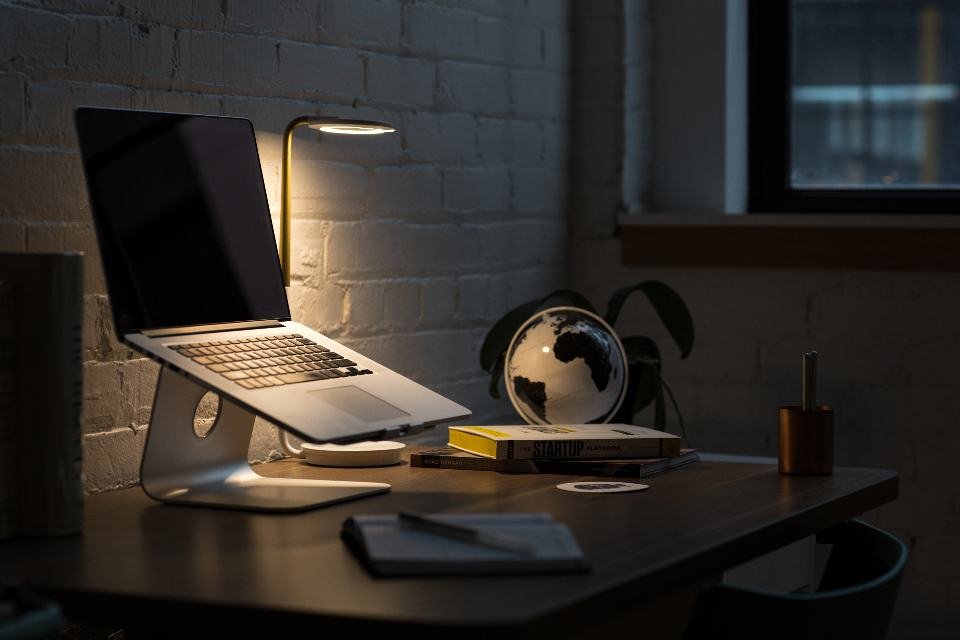
- A laptop stand (or riser, or books) to lift the screen to eye level.
- An external keyboard and mouse so your hands stay down at elbow height.
This is worth being blunt about: a stand on its own makes things worse. If you raise the laptop and keep typing on its built-in keyboard, you've traded a bent neck for lifted shoulders and bent wrists. Buy them together or don't bother — it's the cheapest meaningful upgrade in any home office, and one of our genuine essentials.
What height to set
Sit up straight in your properly-set chair and look ahead. The top of the laptop screen should be at, or a touch below, your eye level. At a standard desk that usually means raising the laptop by somewhere between 10 and 25 cm.
Then push it back so the screen is roughly an arm's length away — small laptop screens tempt you to lean in, so increase the text size rather than moving closer. The full reasoning is in our guide to monitor height and distance, and it all sits on top of getting your desk height right first.
Which type of stand
- Fixed-height aluminium stands. Rigid, stable, good airflow underneath, and they look like part of the desk. The catch: one height, so check it's the right one for you before buying.
- Adjustable/articulated stands. More flexible and often taller, useful if you share a desk or alternate between sitting and standing. Slightly bulkier.
- Folding travel stands. Thin, light, fold flat into a bag. Lower maximum height, but they mean you keep good posture away from home too.
- Books. Free, infinitely adjustable, and ergonomically identical. Genuinely fine — just make sure the stack is stable and the laptop can't slide.
Whatever you choose, check it doesn't block the laptop's air vents, and that the machine can't be knocked off easily.
Working away from the desk
You won't carry a keyboard everywhere, and for a couple of hours in a café it doesn't matter much. What helps in those situations: prop the laptop on a bag or a book to lift the screen even a little, sit back rather than hunching in, and keep the session short. Treat laptop-only working as a temporary compromise rather than your default setup, and your neck will forgive the occasional day.
A stand and a keyboard together cost less than a single decent dinner out, and they resolve a problem that is otherwise structurally impossible to fix. Of all the advice on this site, this is probably the highest ratio of benefit to money spent.
Frequently asked questions
Do laptop stands actually help?
Yes, but only when paired with an external keyboard and mouse. The stand raises the screen to eye level so your neck stays neutral, and the external keyboard keeps your hands at elbow height. Using a stand without a separate keyboard just moves the problem from your neck to your shoulders.
How high should a laptop stand be?
High enough that the top of the laptop screen sits at or just below your eye level when you sit up straight. For most people at a standard desk that means raising the laptop by roughly 10 to 25 cm, depending on your height and the screen size.
What is tech neck?
It's the common name for neck and upper back discomfort caused by looking down at a screen for long periods. Tilting the head forward increases the load the neck muscles must support, so a screen placed too low — like a laptop flat on a desk — keeps those muscles working all day.
Can I use books instead of a laptop stand?
Absolutely. A stable stack of books raises the screen just as effectively as a bought stand. A purpose-made stand is tidier, often lets air circulate under the machine, and some fold flat for travel, but the ergonomic benefit is the same.